Easy Guide - Turbo Boost / Speed Up Your Android By Disabling App Receivers (root)
UPDATE: A New and Easy Method is described here.
A Newly Refreshed or New Phone Runs Smoothly.
When you fill up your android phone with Apps, Games and Widgets, Your Android phone becomes too slow. Even my Samsung Galaxy S3 becomes slower.
Today i had find a successful way to have my 350MB ram free and System Running Like Refreshed, without touching any system app, or uninstalling / freezing / disabling my installed apps.
You must be rooted for this tweak.
What you will need is Rom Toolbox Pro (Download)
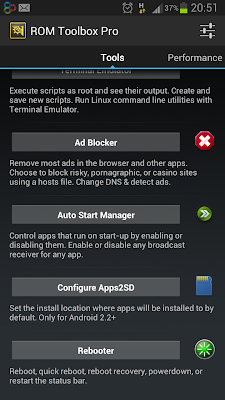
Open Rom Toolbox Pro
Slide down to Auto Start Manager

A Newly Refreshed or New Phone Runs Smoothly.
When you fill up your android phone with Apps, Games and Widgets, Your Android phone becomes too slow. Even my Samsung Galaxy S3 becomes slower.
Today i had find a successful way to have my 350MB ram free and System Running Like Refreshed, without touching any system app, or uninstalling / freezing / disabling my installed apps.
You must be rooted for this tweak.
What you will need is Rom Toolbox Pro (Download)
Open Rom Toolbox Pro
Slide down to Auto Start Manager

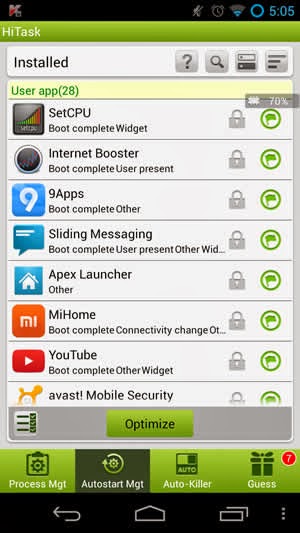
Expand all using menu
Uncheck these receivers of all apps you want not running always.
Except some ones like facebook, whatsapp, viber.

Also check all apps after unchecking all receivers. Sometimes an app requires some receivers to work.
Reboot and check ram.
Please post your results in the comments
Comments