Easy Guide - Micromax Funbook Problems and Solutions
If you have newly purchased funbook and it is giving problems, then we have mostly every solution for them
1) Problem: The touch does not respond correctly while charging.
This thing happens while it the charger is giving ac voltage to its output.
Solution: Keep your hand in the back will solve the problem, or Replace the charger with same voltage but use the same pin from your charger by cutting the charger pin to another good charger wires.
2) Problem: The Tablet is rebooting consistantly or inconsistently.
This thing happens while it fails to bear 1.2 ghz cpu and keep restarting.
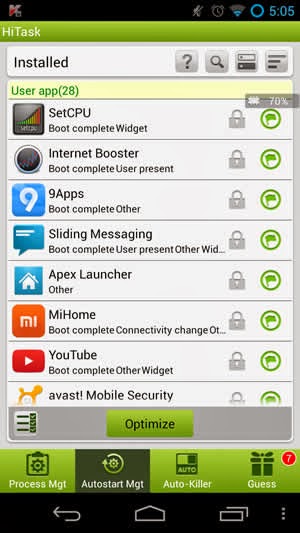
Solution: The battery does not hold the 1.2 ghz processor, so it is restarting. Fix it by limiting the cpu speed to around 900. Do this by downloading SetCpu App . Set the maximum cpu to around 900 mhz , Set the minimum cpu to around 50-250 mhz.
3) Problem: The Tablet eats battery while not using. or The Tablet drains battery on standby.
This thing happens while it fails to bear 1.2 ghz cpu and keep restarting and draining battery.
Solution: Fix it by limiting the cpu speed to around 900. Do this by Downloading SetCpu App. Set the maximum cpu to around 900 mhz , Set the minimum cpu to around 50-250 mhz.
4) Problem: The Tablet is watering from some points.
This thing happens because something is touching it from downside, cannot be solved.
Solution: None
5) Problem: The Tablet is not receiving inputs from some points.
The digitizer may have problem. Replace your tab or go to service center.
Solution: None
6) Problem: The Tablet Shuts Down/Restarts on 20-90% Battery.
This thing happens while Battery is not calibrated correctly.
Solution: Use the Battery Calibration App From Play Store Here. First open the app and charge you battery till 100%. Then press the calibrate the button. Then use your battery until it switches off. Then charge your tablet continuously (without any gap) until its 100% again.
---------------------------------------------------------------------------------------------------------------------------
Suggestion: How to download paid apps for free?
Visit Http://bazaarandroid.com Download Aptoide, Search and install any paid apps.
Recomended Apps to Download:
AppDisco : Discover Top Apps & Games.
AirDroid : Control / Transfer Data to your tablet from any browser.
Lcd Density : Change the resolution of your tablet.
Suggest more in comments.
If you find anything solves some more problems, you can comment below.
Click on Ads if you want to say thanks.
Comments
i want to open the set and take a look to it
can u state step by step procedure to open the battry